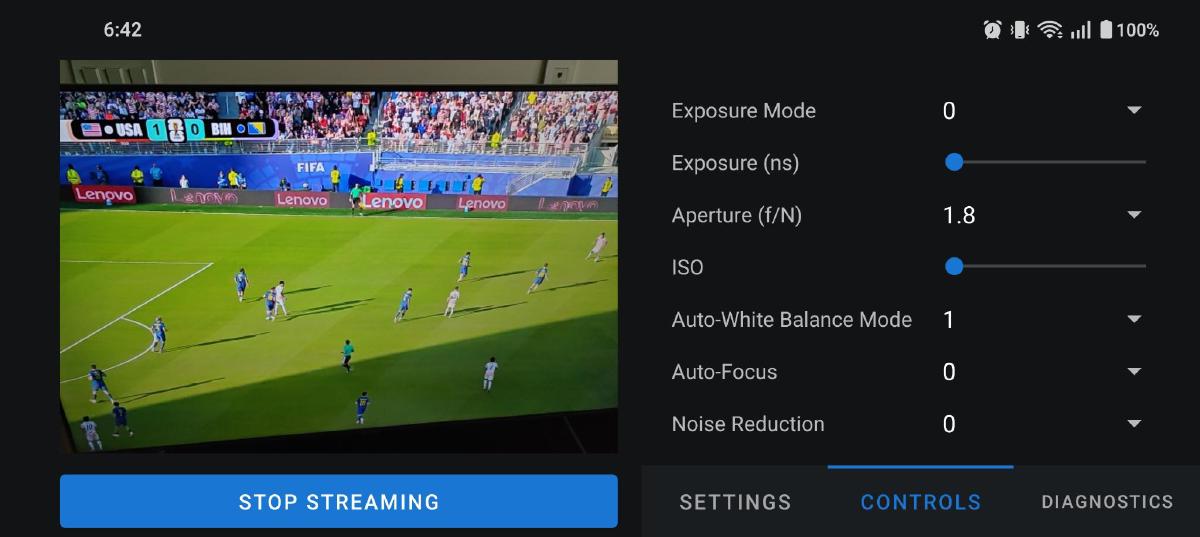

It’s been a while since I first introduced Mobstr in Part 1 of the Mobstr Logbook. I was distracted by the heat wave and the World Cup, and wasted a lot of time debugging latency which turned out to be unrelated to the app.
As mentioned in Part 1, I observed around 500 ms of latency when receiving the stream with this FFmpeg command:
ffplay -protocol_whitelist file,udp,rtp -fflags nobuffer -flags low_delay -framedrop -i ./stream.sdpI also saw dropped packets, especially when the network was busy. After dropping a packet, the stream would accumulate more lag.
I thought the delay must be caused by the H.264 encoder or the RTP packetizer, so I spent several days measuring the app’s end-to-end latency. I ended up going down many dead-end paths, for example trying to change the size of the encoder’s input buffer.
Delay Diversion#
When timing AMediaCodec_dequeueOutputBuffer, my logs showed rather high latency, around 100 ms.
2026-06-06 16:13:59.396  6856-7049  MobstrPerf  com.example.mobstr  |   Hardware Encoder Latency: 106 ms
2026-06-06 16:13:59.432  6856-7049  MobstrPerf  com.example.mobstr  |   Hardware Encoder Latency: 108 ms
2026-06-06 16:13:59.464  6856-7049  MobstrPerf  com.example.mobstr  |   Hardware Encoder Latency: 107 ms
I also noticed system logs which indicated the encoder’s input buffer held 16 frames:
2026-06-06 16:13:56.152  6856-6974  C2NodeImpl              com.example.mobstr  D  getInputBufferParams: wxh 640x480, delay 16
2026-06-06 16:13:56.152  6856-6974  BufferQueueConsumer     com.example.mobstr  D  GraphicBufferSource setMaxAcquiredBufferCount: 16
I spent a long time looking for a way to decrease the number of frames in the buffer, hoping it would reduce the latency. Turns out, the buffer size is hardcoded in Android’s Codec2 library, and there’s no way to change it. Here’s the source:
void C2NodeImpl::getInputBufferParams(IAidlNode::InputBufferParams *params) {
    params->bufferCountActual = 16;
    // WORKAROUND: having more slots improve performance while consuming
    // more memory. This is a temporary workaround to reduce memory for
    // larger-than-4K scenario.
    if (mWidth * mHeight > 4096 * 2340) {
        std::shared_ptr<Codec2Client::Component> comp = mComp.lock();
        C2PortActualDelayTuning::input inputDelay(0);
        C2ActualPipelineDelayTuning pipelineDelay(0);
        c2_status_t c2err = C2_NOT_FOUND;
        if (comp) {
            c2err = comp->query(
                    {&inputDelay, &pipelineDelay}, {}, C2_DONT_BLOCK, nullptr);
        }
        if (c2err == C2_OK || c2err == C2_BAD_INDEX) {
            params->bufferCountActual = 4;
            params->bufferCountActual += (inputDelay ? inputDelay.value : 0u);
            params->bufferCountActual += (pipelineDelay ? pipelineDelay.value : 0u);
        }
    }
    params->frameWidth = mWidth;
    params->frameHeight = mHeight;
}
android/platform/frameworks/av/refs/heads/main/./media/codec2/sfplugin/C2NodeImpl.cpp
However, even with the encoder outputting an image 100 ms after it was acquired, the total processing time per frame did not add up to 500 ms. It finally crossed my mind that the receiver might be the problem. I switched from FFmpeg to GStreamer and to my surprise, the high latency and instability were gone! I used this command:
gst-launch-1.0 -v udpsrc port=5004 caps="application/x-rtp, media=(string)video, clock-rate=(int)90000, encoding-name=(string)H264" ! rtph264depay ! h264parse ! avdec_h264 ! videoconvert ! autovideosink sync=falseI believe the difference is in how FFmpeg and GStreamer handle playback timing. FFmpeg is more strict about timing synchronization, and forces the frames to buffer after a packet drops. GStreamer on the other hand, when configured with sync=false, simply decodes and renders frames as soon as they arrive, without checking presentation timestamps.
Using the clock screenshot method, I measured the end-to-end delay to be around 150 ms. Not bad for a 30 fps stream on Wi-Fi. It can probably be optimized, but after expending so much energy on latency rabbit holes, I didn’t want to deal with the backend anymore. Instead, I focused on improving UI functionality.
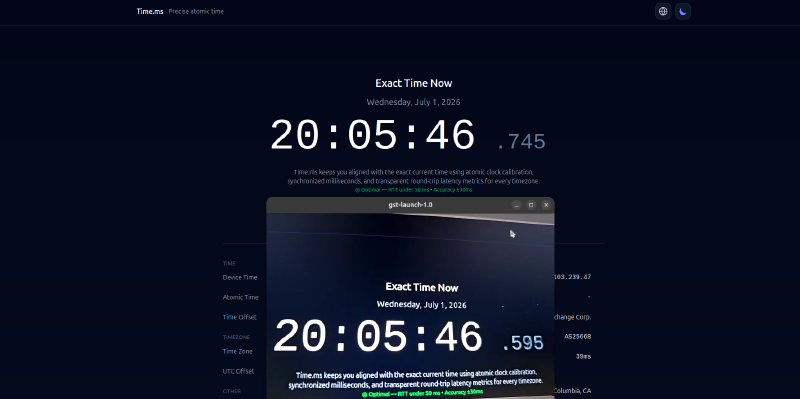
Total delay measurement done by capturing a transmitted image of a precise clock side by side with the clock itself. The delay is approximately 745 – 595 = 150 ms.
UI Updates#
I added camera preview, stream settings, and camera controls. I also plan to populate the statistics/diagnostics tab, but it’s currently empty.
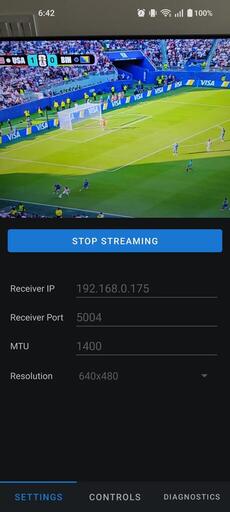
The stream settings allow to set the receiver IP, port, MTU, and stream resolution.
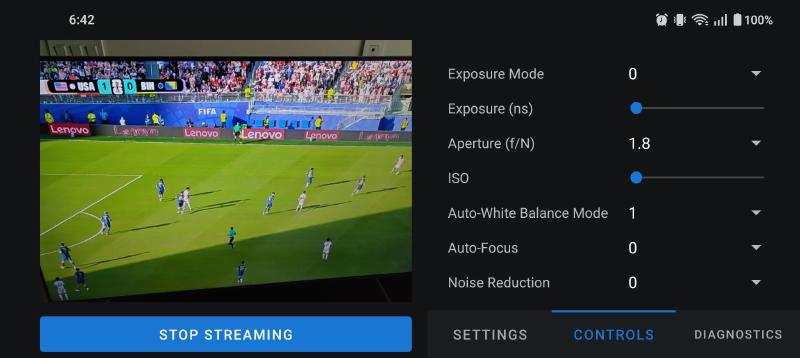
The camera controls tab contains camera parameters such as exposure, ISO, auto-focus, etc. The list of Android camera parameters and their possible values is extensive and can’t be fetched in a generic way, so I manually selected a few to start. I plan to expose the same parameters as the GenICam standard, since Mobstr essentially turns your smartphone into a machine vision camera.
Future Features#
Now that Mobstr is minimally functional, I’d like to close the loop by creating a simple CV processing pipeline that takes the stream as input. I will likely need to update the backend to start an RTSP server, such that the PC can subscribe to it. I also still need to implement RTCP.
As mentioned earlier, I want the UI to have a diagnostics tab that displays the actual frame rate and bit-rate. Bit-rate should also be configurable from the stream settings.
But… That’s work for another time.
See you in Part 3!